License Purchase
Landing page
Every product on License Bridge has its own landing page where customers can learn about your product and purchase a license securely.
You can customize the landing page with header and logo images, rich descriptions with images and videos, a screenshot gallery, and more.
Once you set up payments and product prices, the landing page includes secure checkout through your connected Stripe, PayPal, or Paddle account.
If your plugin uses the License Bridge SDK, customers can also purchase via inline checkout inside WordPress admin (Paddle or Stripe) or via the hosted market link from purchase_link().
Purchase process
When a customer purchases a license, License Bridge creates a unique license key and can automatically upgrade the free plugin or theme version to the premium one.
The image below shows the license purchase flow.

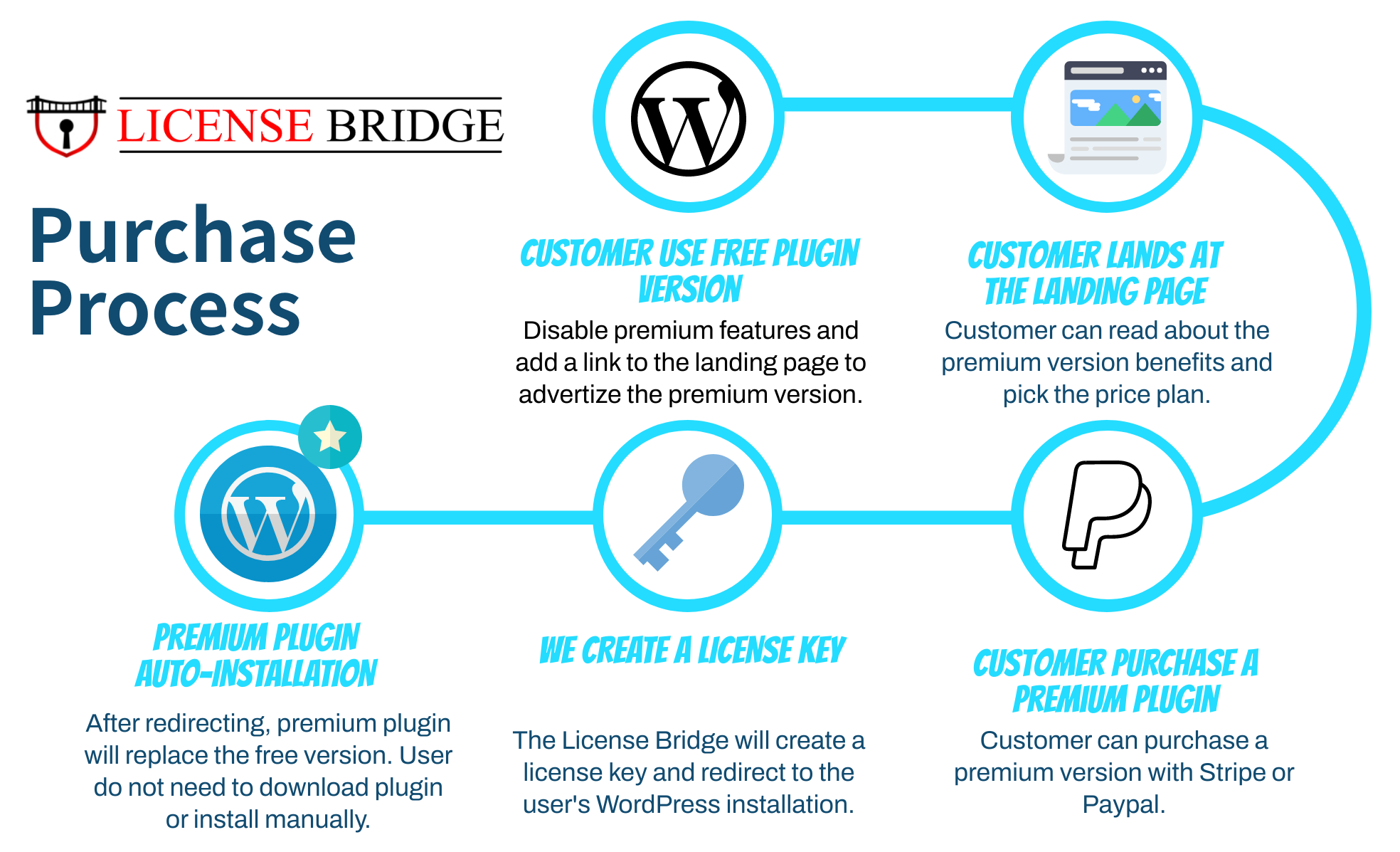
The customer receives the license key by email, along with OAuth secrets needed for API communication. After purchase, secrets are saved in WordPress and used for plugin or theme auto-updates.
Migrating existing customers? If you import licenses instead of selling through checkout, customers keep their existing license key and OAuth credentials are created automatically the first time their plugin connects — they do not receive new secrets by email.